Is Offline Dictation More Private? Usually, Yes
Is offline dictation more private? Learn what stays on your Mac, what can still leak, and how to choose a voice workflow with real control built in, too.
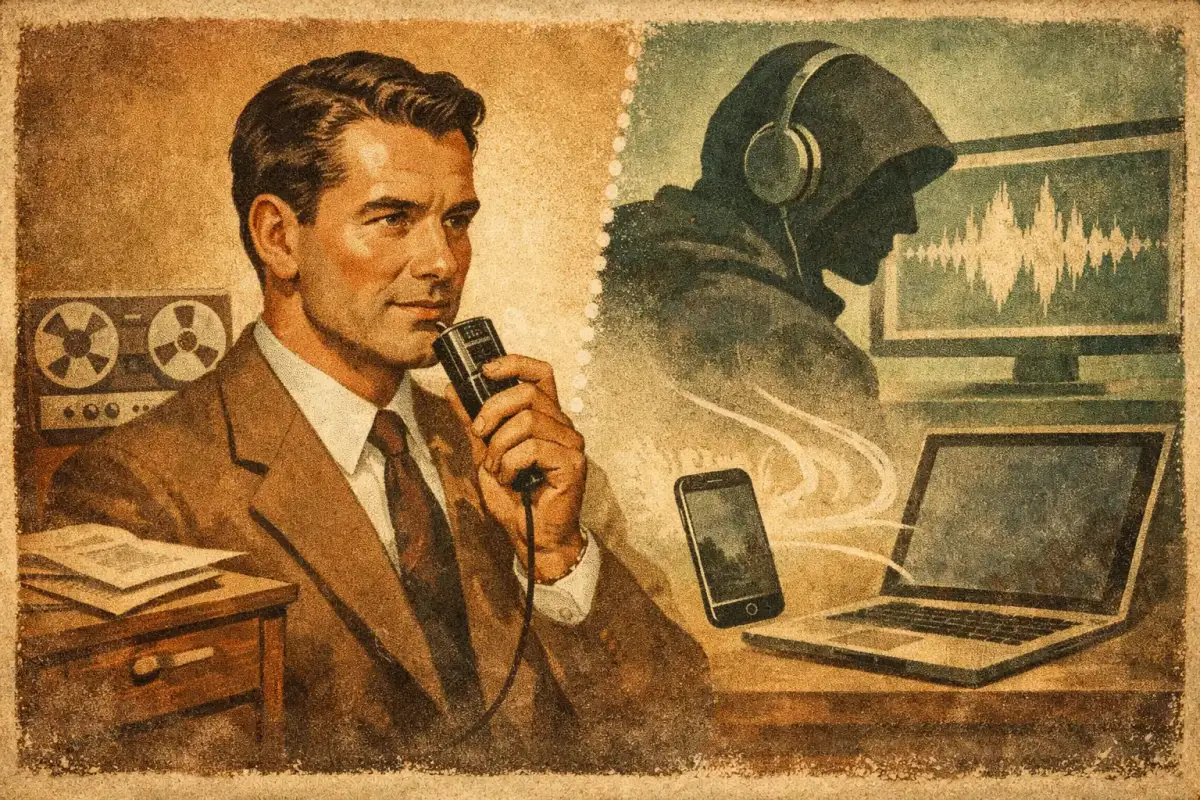
A spoken draft can contain more than a typed one. Names, customer details, meeting decisions, health information, passwords said by mistake, and the rough thinking you would never put in a final document. So, is offline dictation more private? Usually, yes - but only if the audio and transcription truly stay on your device, and the rest of the workflow does not quietly send text somewhere else.
The distinction matters because “local” is often used loosely. A dictation app may record audio on your Mac yet upload it for transcription. It may transcribe locally but send the finished text to a cloud grammar tool. Or it may keep data private by policy while still relying on a remote server. Those are very different privacy models.
Why offline dictation is more private
Offline dictation processes speech with models running on your computer. Your microphone audio is captured, converted to text, and returned to the active app without needing to cross the public internet. That reduces the number of systems that can receive, store, inspect, or accidentally expose your words.
The practical win is simple: fewer copies, fewer parties, less risk surface.
With cloud dictation, your voice commonly travels from your device to a provider’s infrastructure, where it is processed and returned as text. Reputable providers may encrypt that trip and publish strong retention policies. That is far better than sending data carelessly. But encryption in transit does not change the basic fact that your content leaves your device. It can be subject to account settings, service logs, retention windows, support access policies, legal requests, or future changes to a vendor’s terms.
Offline processing removes much of that dependency. If there is no network request, a service outage cannot interrupt transcription. A compromised account cannot expose a transcript that was never uploaded. And you do not have to trust a remote system with every unfinished sentence you speak.
For Mac users working across Slack, Mail, documents, browser fields, and internal tools, this is a meaningful difference. Dictation is system-wide by nature. Privacy should be, too.
Offline does not automatically mean private
“Runs on-device” is the starting point, not the finish line. Privacy depends on what happens before and after transcription.
First, look at audio handling. Does the app stream microphone input to a server? Does it save recordings locally? If it saves them, where are they stored, how long do they remain there, and are they encrypted at rest? A local audio archive may be useful for reviewing notes, but it is also sensitive material sitting on a machine.
Second, inspect what happens to the text. Many dictation tools add punctuation, rewrite rough phrasing, translate content, or generate a summary. If those features call a cloud model, your raw transcription may leave the device even if speech recognition did not. That can be a reasonable trade-off when you explicitly choose it. It should not be a surprise.
Third, consider telemetry. Software can avoid uploading audio and still collect usage events, crash reports, device identifiers, or diagnostic logs. Good products minimize this data and give users clear choices. Better products separate essential local operation from optional analytics.
Finally, privacy is only as strong as the device itself. If a Mac is shared, unlocked, infected with malware, or backed up to an account with weak security, local processing cannot fix those risks. Offline dictation reduces exposure to third parties. It does not replace FileVault, a strong login password, software updates, or sensible access controls.
What to check before you trust a dictation app
A privacy claim should be easy to test. You do not need to read a security white paper to ask direct questions.
Look for clear answers to these four points:
- Where is speech recognized? The product should say whether transcription happens fully on-device, fully in the cloud, or through a hybrid path.
- What leaves the Mac? Check audio, transcript text, prompts, diagnostics, and account information separately. “We do not store audio” does not answer what happens to text.
- Which features require the cloud? Translation, premium voices, voice cloning, rewriting, and agent tools often need remote compute. They should be clearly optional and activated intentionally.
- Can the local workflow work without an account? A permanent local mode is a stronger privacy signal than a product that requires sign-in before it can transcribe one sentence.
Also pay attention to the wording. “Privacy-focused” is marketing. “Audio is processed locally and never transmitted unless you enable Cloud Processing” is an operational statement. The second one tells you what to expect.
If you want to verify a claim, turn off Wi-Fi, dictate a few sentences, and see what still works. This is not a complete audit, but it quickly reveals whether basic dictation depends on a remote connection.
The real trade-off: local speed and cloud capability
Offline dictation is not always the best choice for every task. Local models are fast, available on flights, and private by default. But cloud systems can offer larger models, more language coverage, higher throughput, advanced translation, and expressive neural voices that would be expensive or impractical to run entirely on a laptop.
The smart answer is not “cloud bad, local good.” It is control.
A strong voice workflow keeps everyday dictation local, then makes cloud capabilities an explicit upgrade for moments that benefit from them. You might dictate a sensitive client update locally, clean it up on-device, and paste it into Mail. Later, you might choose cloud translation for a public presentation or use a studio-quality voice for a recording. Different tasks carry different stakes.
This is where a hybrid architecture earns its keep. The local path handles the high-frequency work: capture speech, transcribe quickly, insert text in the active app. Optional cloud acceleration handles the specialized work when you decide the result is worth the data transfer. Vible follows this model on Apple Silicon Macs: local functionality remains available for private, offline-capable work, while cloud features are opt-in for tasks such as premium voices, cloning, and higher-powered translation.
That separation is more useful than forcing users into a false choice between bare-bones offline tools and cloud-only assistants. You get speed where you need it and extra capability when you want it.
Is offline dictation more private for work?
For most sensitive work, yes. Offline dictation is especially compelling when you regularly speak about internal plans, financial information, legal matters, customer records, employee conversations, unpublished research, or personal health details. It can also simplify compliance discussions because fewer vendors are involved in the speech-to-text path.
But company policy still matters. Your employer may require approved software, managed-device controls, specific data-processing agreements, or cloud audit trails. A local tool can be safer for the content, yet still outside an organization’s approved stack. Privacy and compliance overlap, but they are not identical.
If you work in a regulated environment, ask two separate questions: Can this data stay on the device? And is this device and application approved for this category of data? You need both answers.
Build a private-by-default voice workflow
The best setup does not make you think about privacy every time you hit a hotkey. It sets a safe default and makes exceptions obvious.
Use local transcription for routine dictation. Keep recordings off unless you have a real reason to retain them. Review cloud toggles before enabling translation, rewriting, or premium voice features. Lock your Mac when you step away, enable disk encryption, and treat dictated text with the same care as any other sensitive file.
Then match the tool to the moment. Local dictation is ideal for a confidential Slack draft, a private journal entry, a contract note, or a quick thought captured on a plane. Cloud processing may be the right call for a customer-facing multilingual asset where quality, voice range, or advanced language support matters more than keeping every byte on-device.
The goal is not to make voice input less useful. It is to make the data path visible. When your default is local and your cloud features are deliberate, you can speak at the speed of thought without handing every thought to a server.